Windows 98
1998 → 2006 · Windows
Released on 25 June 1998 in more than 40 countries. Made for home users, it was the upgrade that "works better and plays better".1
Bring your own copy Sources See every Windows version →
- Made for
- Home users1
- Upgrade price
- About $109 in the US, from Windows 95 or 3.11
- Support ended
- 11 July 20064
Works better, plays better
Microsoft called Windows 98 the upgrade that "works better and plays better". Bill Gates said it was the first version of Windows designed specifically for home users.1 It opened programs and shut down faster, and new wizards helped people fix problems. Support for USB made adding joysticks and digital cameras much easier. A PC could read DVD discs or, with a TV tuner card, show television.1, 2
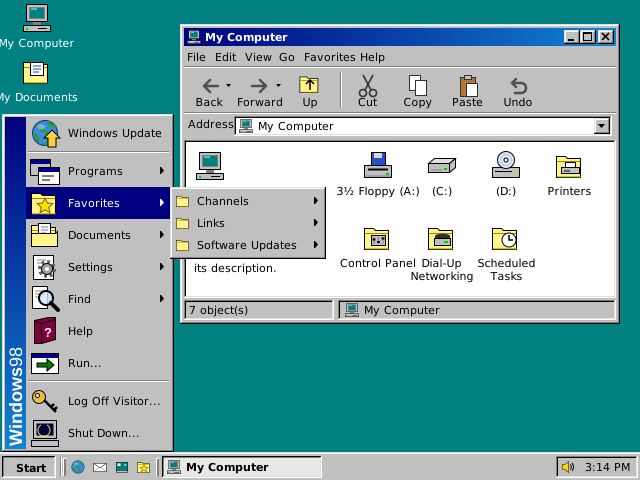
The web on the desktop
Windows 98 used Internet Explorer technologies to make finding information quick and easy, whether it was on the PC or on the internet.1 The new Quick Launch bar let you start programs without going through the Start menu or looking for them on the desktop.2
))
Key moments
- 1998 Windows 98 goes on sale on 25 June, in more than 40 countries and at more than 12,000 shops in North America.1
- 2000 Windows Me comes out on 14 September, as an upgrade for Windows 98 and Windows 98 Second Edition.5
- 2006 Microsoft ends support for Windows 98 and Windows 98 Second Edition on 11 July.4